First, set the Arnold log verbosity to Info (typically, Info is more than enough).

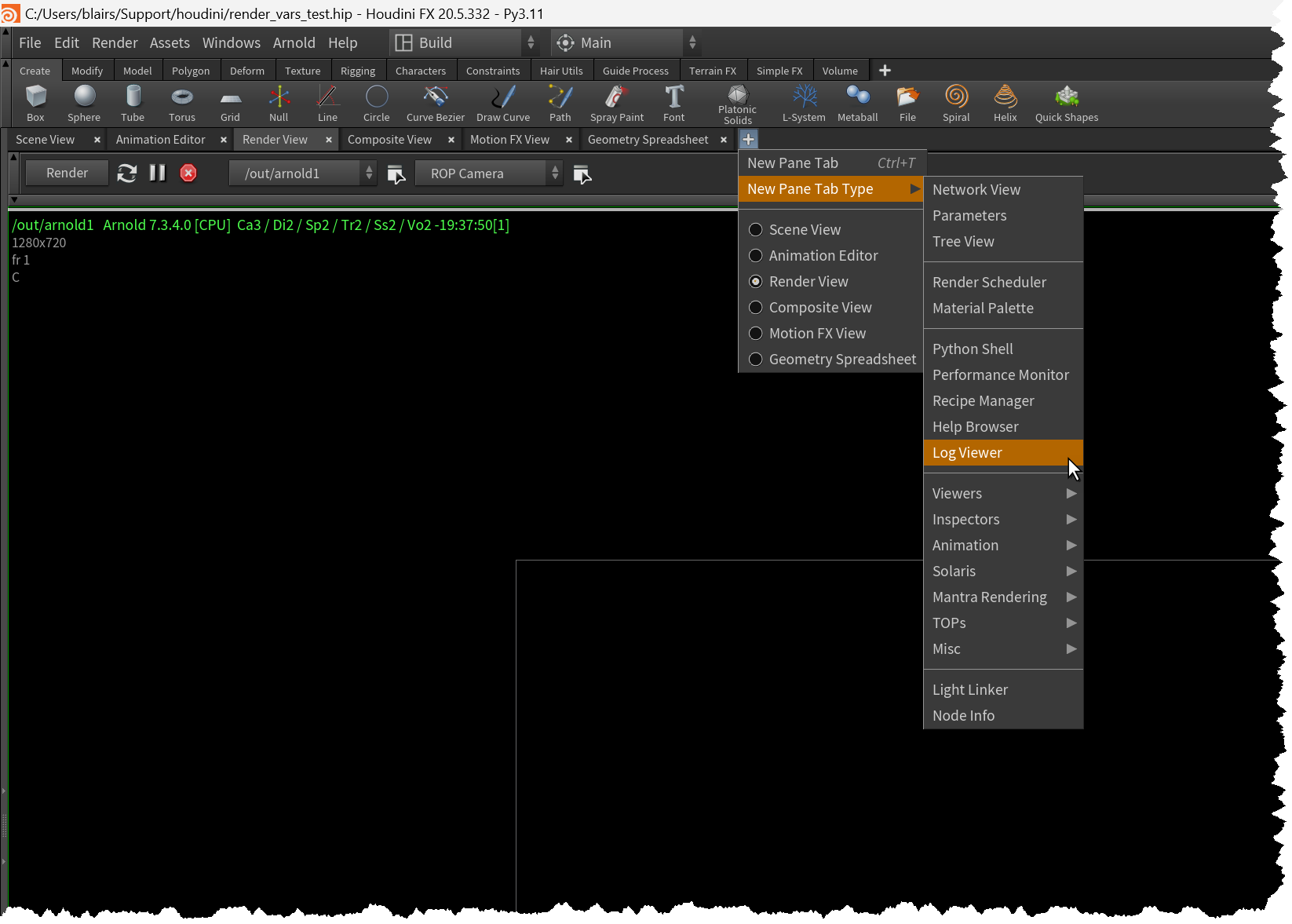
Then open the Log Viewer.
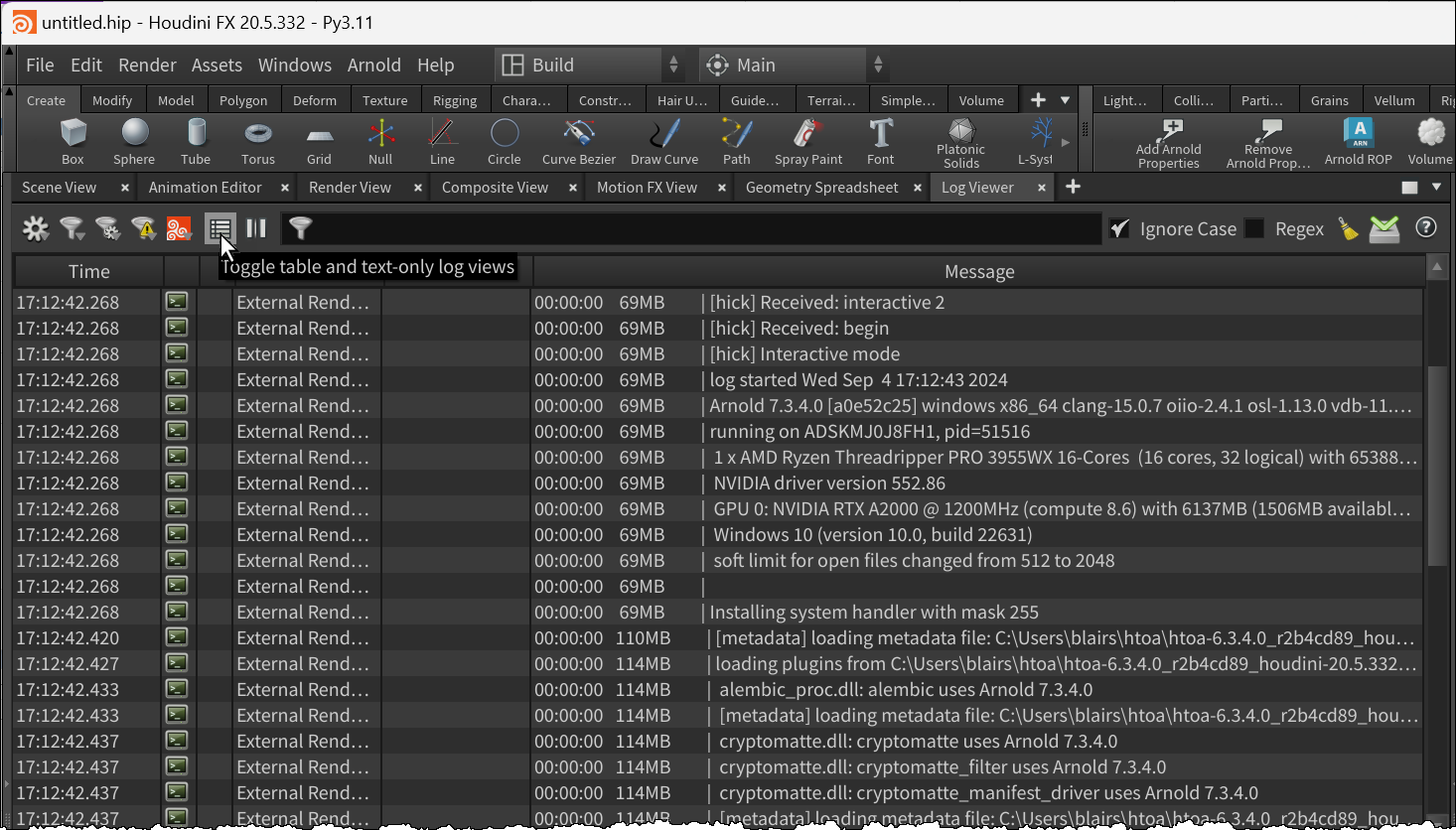
Render something. Then in the Log Viewer, switch to text-only view.
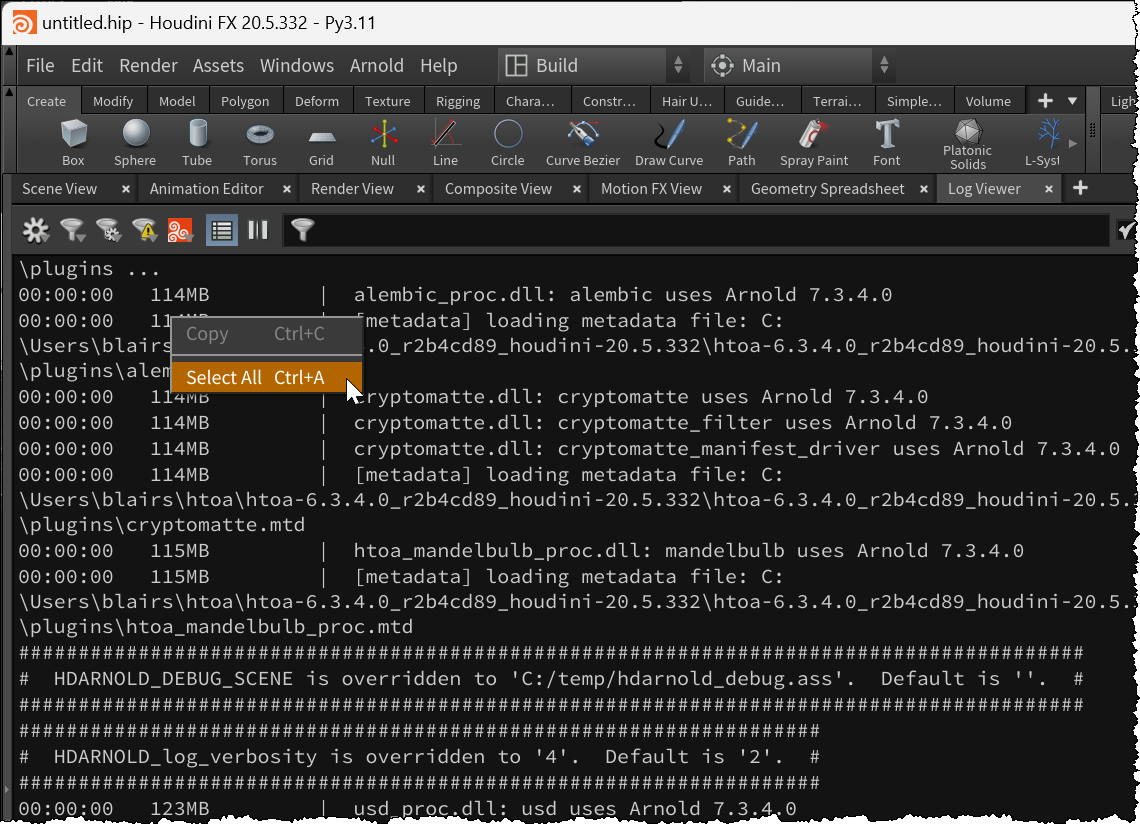
Select All (Ctrl+A) and Copy (Ctrl+C) and paste into a text file.
First, set the Arnold log verbosity to Info (typically, Info is more than enough).
Then open the Log Viewer.
Render something. Then in the Log Viewer, switch to text-only view.
Select All (Ctrl+A) and Copy (Ctrl+C) and paste into a text file.
 Arnold Support Corner