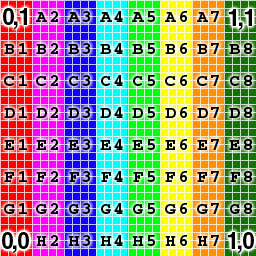
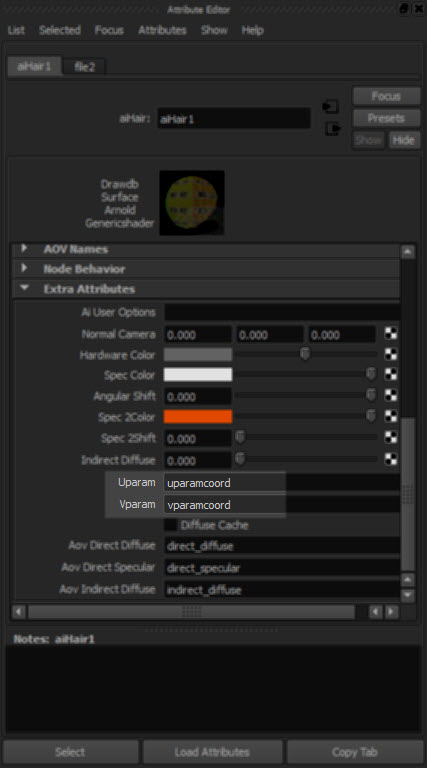
Like MtoA, Yeti exports UV coordinates in the uparamcoord and vparamcoord parameters, and you use these to map textures in the aiHair shader with the Uparam and Vparam extra attributes.
For example, if you plug a texture into the Rootcolor and tipcolor
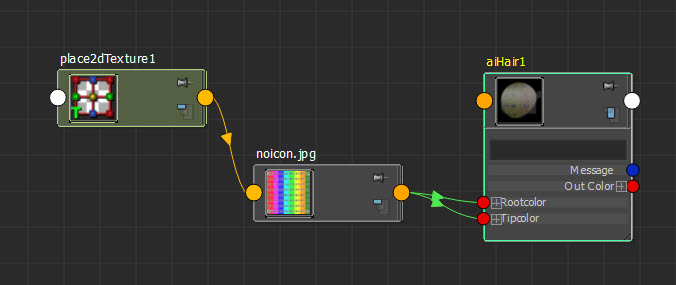
then you can use uparamcoord and vparamcoord to map that texture onto the hair:

Tip If you enable Expand Procedurals and export an ASS file, you can see what parametes Yeti exports:
### created by pgYetiMayaShape
curves
{
 name pgYetiMayaShape_|pgYetiMaya|pgYetiMayaShape|scatter01_pSphereShape1_grow01
 num_points 621 1 b85UINT
# ...
 points 4347 1 b85POINT
# ...
 basis "catmull-rom"
 mode "ribbon"
 min_pixel_width 0
 visibility 255
 self_shadows on
 matrix
 1 0 0 0
 0 1 0 0
 0 0 1 0
 0 0 0 1
 shader "initialShadingGroup"
 opaque on
 id -1230660816
 declare curve_id uniform UINT
 curve_id 621 1 b85UINT
# ...
 declare uparamcoord uniform FLOAT
 uparamcoord 621 1 b85FLOAT
# ...
 declare vparamcoord uniform FLOAT
 vparamcoord 621 1 b85FLOAT
# ...
 declare surf_s uniform FLOAT
 surf_s 621 1 b85FLOAT
# ...
 declare surf_t uniform FLOAT
 surf_t 621 1 b85FLOAT
# ...
 declare length uniform FLOAT
 length 621 1 b85FLOAT
# ...
 declare fur_id uniform FLOAT
 fur_id 621 1 b85FLOAT
# ...
 declare surf_n uniform VECTOR
 surf_n 621 1 b85VECTOR
# ...
 declare filename constant STRING
 filename "C:/Users/StephenBlair/Documents/maya/projects/Support//yeti/tmp/yeti_combExample_pgYetiMayaShape_1886244453_1.fur"
 declare mtoa_shading_groups constant ARRAY NODE
 mtoa_shading_groups "initialShadingGroup"
 declare frame constant INT
 frame 1
 declare verbosity constant INT
 verbosity 1
 declare density constant FLOAT
 density 10
 declare width constant FLOAT
 width 1
 declare threads constant INT
 threads 0
 declare min_pixel_width constant FLOAT
 min_pixel_width 0
 declare mode constant INT
 mode 0
 declare imageSearchPath constant STRING
 imageSearchPath ""
 declare samples constant ARRAY FLOAT
 samples 1
}
 Arnold Support Corner