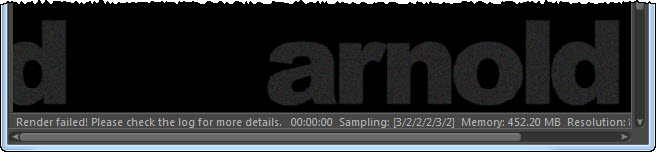
The Arnold log is important, not just for troubleshooting and getting help from us at Solid Angle, but also for understanding what’s going on when Arnold renders your scene.
But, first things first: where’s the log? The Arnold log is output to the Cinema 4D Console:
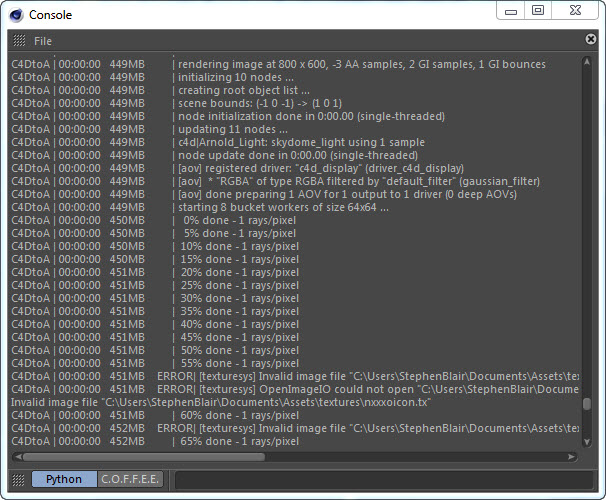
To open the Console, click Script > Console.

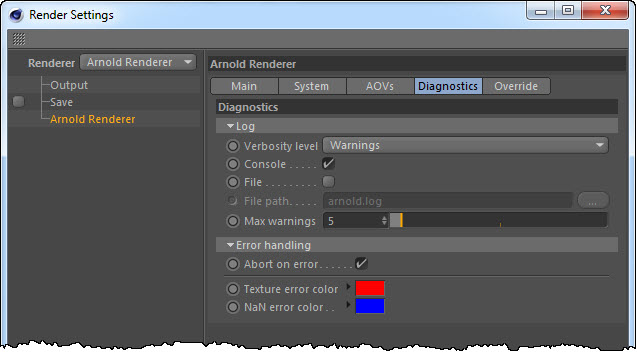
You can set the verbosity level in the Render Settings > Diagnostics. By default, the verbosity level is Warnings, but by increasing it to Info, you’ll get the % done log entries. You can also send the log to a file (good for logging support cases!).
 Arnold Support Corner